Tech Blog: It is possible to use another MacBook without the password due to technical error. But not all MacBooks, this is done with Mac OS X, which is Chrome's remote desktop software. A group of cyber security checkpoint check points said that the Mac version of Chrome Remote Desktop software has technical difficulties, which can be used to create 'Guest Accounts' from a distance. As a result, the hackers may unknowingly access all MacBook data without the password. Even the password-protected files can be changed as well as the device's administrator account can be changed. Using Chromebook's remote desktop software, Google has a chance to use multiple laptops and smartphones from a distance.
Showing posts with label LAPTOP. Show all posts
Monday, March 19, 2018
Sunday, March 18, 2018
New computer, what to do after buying a laptop
Tech Blog: After purchasing a computer, there are some things to keep in mind at the beginning. The topics discussed for the newcomers have been highlighted in this tutorial.
Install antivirus
After purchasing a new computer, the first thing to do after installing the operating system is to install the antivirus. Because new computer songs, movies, videos, music etc. are downloaded or shared with pen drive. In that case the virus can enter. So good quality of the virus will be installed
After starting your PC, the first step will be to update Windows. For this, Internet connection will be needed. After connecting to the Internet, from the start menu to the All Program, go to the Windows Update option and click on the check for updates. The machine can restart several times while updating. After the restart check whether all the updates are correct? If not, then you will have to update again. Currently most of the users of Windows operating system fake. If there is an update then the problem may be. So it should not be updated and auto updates should be stopped
Good performance of the computer depends on the driver. So drivers have to be updated all the time. Driver updates are available free from various bugs (crude).
According to the motherboard model number, the driver will get the latest updates. In addition, the motherboard organization website should keep regular eye viewing to see if the new update has arrived. Software install
The life of the computer is software. All the work is done using the software. Music player needs to listen to music. Video Players will need to see the video, image etc. will need software. So, you need to install the necessary software. However, installing one of the new software may seem a lot of trouble. Solution can be solved in a software called Nineite. Its biggest advantage is that it can install many free softwares with one click. It includes all software from the browser to the antivirus utility, the media playback program. Neine 32 and 64 bit are available for both versions only. Software must be selected by software on the software. After downloading it can be installed. Also find it a nice site for software. You can find the necessary software from here. Please select the software that you want to use regularly from this list. Then enjoy sitting on the hassle-free installation process. You do not have to install one by one and install it. Uninstall Unnecessary Software
Computers or laptops manufacturers preinstall many such software, they do not actually work. This software reduces the speed of the computer in particular cases. So in the control panel to start unnecessary unnecessary software.
Friday, March 9, 2018
Smartwatch with iLife Laptop
Tech Blog: StarTek, the computer importer company, has announced the gift of smartwatch with American brand iLife laptop and PC. The 14-inch laptop has Genuine Windows 10 operating system, Intel's 1.4GHz processor, 10 thousand MH battery, 2GB memory, 32GB internal storage. Its price is 16 thousand 500 rupees. Meanwhile, the 17-inch 3-inch Full Touch All-in-One ZP has 3 GB of RAM, 2.4 GHz processor and 32 GB EMMC storage and 500 GB hard disk. Its price is 29 thousand 990 taka Details can be found at www.startech.com.bd/i-life-zedair site.
Wednesday, March 7, 2018
El Asus's new Zenbook
Tech Blog: Asus Jencon Flip S (Ux 370) model laptop brings a new laptop to the market in Taiwan Laptops displaying 10 decimal 9 millimeter thin and 1 decimal 1 kg can be used to turn 360 degrees. This means that it can be used as a tablets in turn.
Carning gorilla glass is used in the bijelless flower HD display of Genkip Flip S. Intel's eighth generation Core i7 processor, 16GB ddr-4 RAM and 512gb SSD. Notebook has more backlit keyboard, glass cover touch pad and finger print reader.
Battery backup of the laptop is 11 hours a day It supports fast charging technology, which can charge up to 60 percent in just 49 minutes. The Notebook offers Genuine-Windows 10 Pro operating system. The notebook is styled. It has a Mini Dock with HDMI, USB 3.1, and Type-Sisi. The notebook costs Tk.1.15 million
Sunday, February 25, 2018
Important 7 topics before buying laptops
Tech Blog: There has been a huge change in laptop design and technology over the last few years. Now it is a difficult matter to choose the necessary laptop. Keeping some issues while buying a laptop can be easy to make your decision.
Touchscreen
If you prefer touching or touching the product, then the touchscreen laptop will be good for you. For example, the Windows 8 interface tile and gesture will improve your touchscreen experience and make it easy to use. Easy to use web pages in windows operating systems. Apart from this, it also has the advantage of seeing pictures and documents. You can also use the touchscreen laptop as a keyboardized laptop. You get the touchscreen facility laptop in the market 50 thousand taka. Generally enough to buy low-priced laptops for movies, watching movies, listening to music, using small amounts of internet. In this case, you can buy laptop with 15 inch screen monitor.
Design and weight
If you travel much more then you will have a lightweight laptop or lightweight Buy a laptop that has a length of 12 to 13 inches long, buy it for a long time. If you want to buy a laptop for home or office work, buy 14-inch or 15.6-inch display laptop. If you want a laptop for gamer or photo and video editing, you have to choose a powerful laptop. You can buy a 15.6 or 17 inch screen display laptop for this purpose. If you are always carrying a laptop with a laptop, you will get the metal frame of the metal frame. If your laptop is used by everyone in the house, then it would be better to use metal structures and corporate models. Lithium ion battery is the most common laptop battery. The more cells in it (4-12), the battery will hold the maximum charge.
Data retention capacity
Keep track of how much information you can save while buying a laptop. In the present day, the use of optical drives is less than 15.6 inches of laptops. Now the flash drive based on SSD is seen to be the use of SSD instead of hard drive. Although flash storage is expensive, it is less risky to lose. Its size is small and works fast.
Operating system
Many do not buy pre-loaded operating system-based laptops for saving a small amount of money. But manually installing OS and other software is difficult and time-consuming. Install the laptop operating system system while you are comfortable with it.
Laptop Size
If you think of buying a laptop for a home or office, the laptop size is big enough. This will benefit the eyes and get the benefits of work. If you have to buy a laptop for a presentation then it is better to have a shorter and smaller screen.
Features
If there is a CPU of Intel or AMD multicore CPU on a good laptop. It is desirable to see if 3-4 USB ports and laptops are faster. Usually high resolution games are required to buy high-speed laptops for video editing and graphics work. For this, the processor's clock speed is better than 3.0 GHz or more. It is also important to know which series of processors (Core iThree, Five, Seven). Before buying, definitely take a look at the graphics capability. For video editing and graphics work, at least 4 GB of dDRRathory RAM will be good.
Brand
Be careful while buying an old laptop. Take a look at the warranty. You can trust the known brand. Before buying a laptop from dealers and retailers, it would be better to know about their after-sales services and their laptop sales record in the past. When buying, you will be able to understand the accessories, such as warranty cards, chargers, bags, etc. that are available with your laptop. Also buy laptops from authorized dealers, importers, trusted media or shops at all times.
Friday, February 23, 2018
Some tips for laptop use
Tech Blog: Today, there is a huge demand for laptops in Bangladesh. Due to various advantages, many people are now using laptops instead of desktop. Although the desktop is suitable for professional work. However, those who use computers in the hobby should buy their laptops. Laptops are generally of two types - netbooks, notebooks. People who work on light or work online generally use netbooks. And many people are buying notebooks for the heavy work and high graphics gaming. Just do not use the laptop to buy it. Regularly take care of it as well. Some tips should be obeyed so that your laptop can serve properly for a long time. The laptop performance will be good.
Laptop Usage Tips:
Laptop performance is good if you adhere to some rules.
Even if you do not have to run a laptop with a battery, you will have to run the batteries sometimes in 2/3 weeks or else battery life will be reduced.
Reduce the brightness of the screen while running the laptop in the battery.
Clear the battery connector lines from time to time.
Use good quality antivirus.
Minimize other windows without the need.
Play music from the hard disk, because the CD / DVD RAM gets much more power.
Keep the air vents open, make a laptop position easily by moving the air, do not keep it straight in the sunlight.
Use the Hibernate option instead of shutdown.
Turn off Bluetooth and Wi-Fi connections.
Do not do any work in the maintenance of hard disk and CPU.
Stop unnecessary programs.
Sometimes Ram Cleaner, Ram Optimi "er, Mem Monster, Free Up Ram, Super Ram Defragment for memory clean.
Uninstall programs that are not needed for now.
Thursday, February 22, 2018
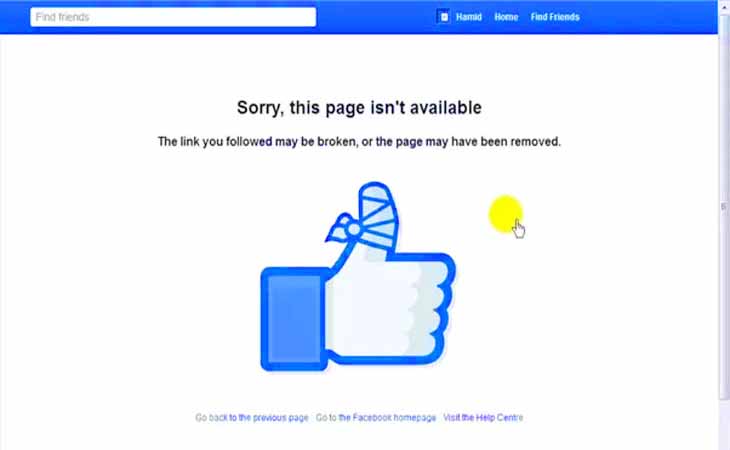
How did someone block you on Facebook?
Tech Blog: Current era technology. And through this technology, social media is growing in the whole world, the dominance of Facebook. Creating new friends there, talking with them, publishing moments of daytime, and spending a lot of time in the day. Again many times Facebook friends are unfinished and the reason for the block is also bad.
Someone who wants to know who has infrared or blocked on Facebook. But how can you understand who blocked you. The United Kingdom based newspaper The Independent has published a report on this.
You have to go to the Facebook search bar to find the blocker and find out the name of the person who is suspected. If you can not find it, then be assured that he has blocked you or his account has been deleted.
Because, if someone blocks you from Facebook or deletes his account then you will not see his profile. Even friend requests, messages or any comments can not be seen.
Secondly, the task you can do is click on the old conversations that you've blocked with your block. If his name looks black in bold and can not be clicked there. Then understand that he is still active user of Facebook. But blocked you.
Yet you may not believe that he has dropped you from the virtual world. You can think that they have deleted their accounts. In this case you can adopt the third method. Find out whoever is associated with the blocker. To know if you are suspicious, go to that mutual friend's Facebook to find out whether he is active. If you have been blocked, and if not, then he deleted the account.
Subscribe to:
Posts (Atom)